Here are some practical ways to set up a home office with proper power and lighting before productivity (or your patience) takes a hit.
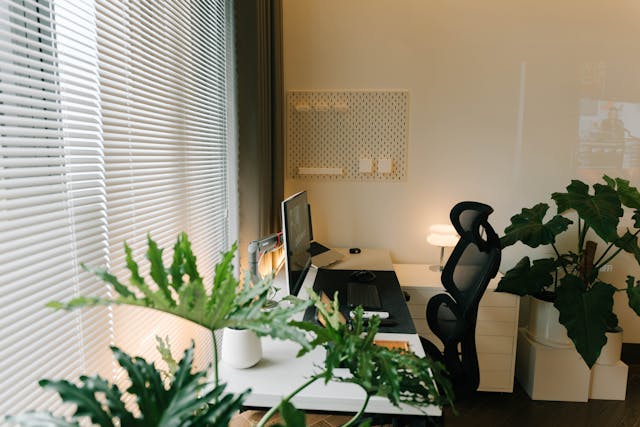
Working from home has become part of everyday life for plenty of Aussies. Whether you’re running a business, clocking in remotely, studying online, or simply paying bills in peace, having a comfortable and functional home office makes a huge difference.
But while many people focus on buying a fancy desk or ergonomic chair, the real game changers are often the things hidden behind the scenes — proper power access and quality lighting.
Bad lighting can leave you with headaches and eye strain. Poor electrical setup can lead to overloaded power boards, messy cables, and even safety risks. The good news? With a few smart upgrades, you can create a home office that’s safer, more comfortable, and much easier to work in.
Here are some practical ways to set up a home office with proper power and lighting before productivity (or your patience) takes a hit.
1. Choose the Right Spot First
Before buying equipment or calling in trades, think carefully about where your home office will actually go.
Natural light is ideal, so try to pick a room or corner with a window nearby. A space with decent airflow and minimal household traffic also helps reduce distractions during meetings or focused work sessions.
At the same time, pay attention to where the power points are located. Many Aussie homes weren’t designed with modern home offices in mind, especially older properties. If your ideal workspace only has one outlet hidden behind furniture, you’ll probably end up relying on extension leads and overcrowded power boards.
That’s where a licensed electrician can help. Adding extra outlets early on is usually far easier — and tidier — than trying to work around limited power access later.
2. Upgrade Your Power Points
A modern home office can easily require power for:
- Laptop or desktop computer
- Monitor screens
- Phone chargers
- Printers
- Wi-Fi extenders
- Desk lamps
- Speakers
- Standing desks
- External hard drives
Suddenly, two power points don’t seem like enough.
Instead of daisy-chaining multiple extension cords together, consider installing additional outlets where you actually need them. USB-integrated power points are also becoming increasingly popular in Australian homes because they reduce clutter and make charging devices more convenient.
A qualified sparkie can assess your setup and recommend safer, more practical placements based on your furniture layout and equipment needs.
It’s a relatively simple upgrade that can instantly make your office feel cleaner and more professional.
3. Don’t Overload Your Circuits
One common mistake in home offices is assuming every appliance can safely run from the same outlet.
High-powered equipment like heaters, desktop PCs, gaming setups, and multiple monitors can place extra demand on older circuits. If your lights flicker when devices switch on or your breakers regularly trip, your electrical system may already be struggling.
Ignoring these warning signs isn’t worth the risk.
An electrician can inspect your existing wiring and determine whether your switchboard or circuits need upgrading. This is particularly important in older Australian homes that may not have been designed for today’s technology-heavy lifestyles.
The last thing anyone wants during an important Zoom meeting is a sudden blackout.
4. Use Lighting That Reduces Eye Strain
Lighting has a bigger impact on productivity than most people realise.
Poor lighting can contribute to:
- Eye fatigue
- Headaches
- Difficulty concentrating
- Neck strain from awkward screen positioning
Natural daylight is best during the day, but relying on sunlight alone rarely works all year round. That’s why layered lighting is the smart approach.
A good home office setup usually includes:
- Ambient lighting for overall brightness
- Task lighting for focused work
- Accent lighting for comfort and atmosphere
Desk lamps with adjustable brightness are especially useful for reducing glare and adapting to changing light conditions throughout the day.
Warm lighting may feel cosy, but neutral white light tends to work better for concentration and visibility in workspaces.
5. Position Your Desk Near Natural Light
Natural light can improve mood, reduce eye strain, and even help regulate sleep patterns.
Ideally, position your desk beside a window rather than directly in front of it. This helps minimise harsh glare on your monitor while still allowing plenty of daylight into the room.
If glare becomes an issue, simple additions like blinds, curtains, or adjustable monitor positioning can help.
A well-placed desk also reduces the need for harsh overhead lighting during the day, which can make your office feel more comfortable and energy-efficient.
6. Consider Installing Better Overhead Lighting
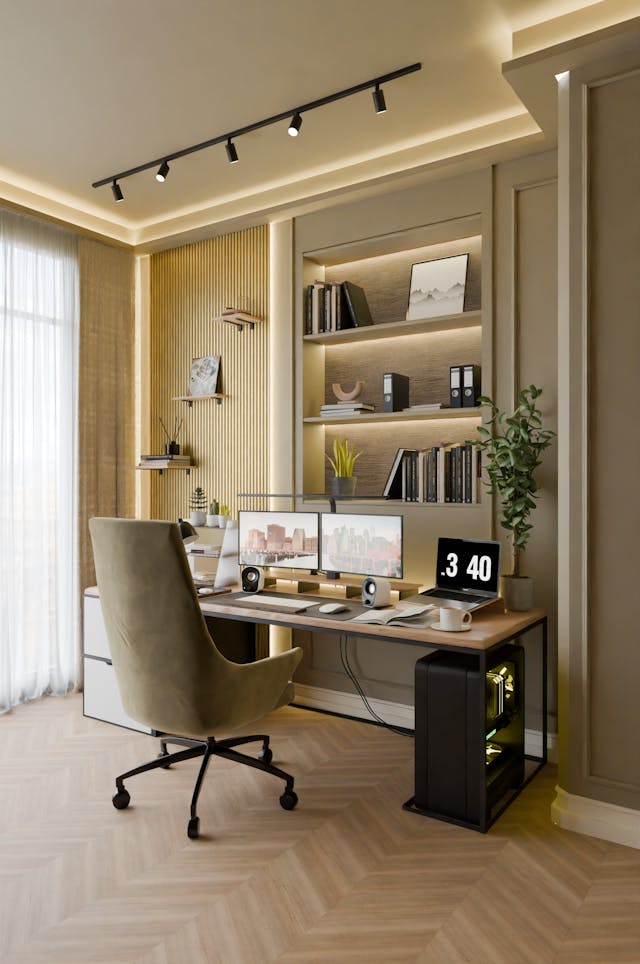
Many Aussie homes still rely on a single ceiling light in spare bedrooms or study areas. Unfortunately, one central globe often creates uneven lighting and shadows.
Upgrading your overhead lighting can completely transform the space.
Some popular home office lighting upgrades include:
- LED downlights
- Adjustable track lighting
- Smart lighting systems
- Dimmable fittings
- Pendant lighting over desks
LED lighting is especially popular because it’s energy-efficient, long-lasting, and available in different colour temperatures.
A licensed electrician can recommend the right setup for your room size and working style while ensuring everything complies with Australian safety standards.
7. Hide Messy Cables Properly
Nothing makes a home office feel chaotic faster than tangled cords everywhere.
Aside from looking messy, exposed cables can also become trip hazards or collect dust over time.
Simple cable management solutions can make a huge difference:
- Cable trays under desks
- Wall-mounted cable channels
- Cord organisers
- Built-in desk grommets
For a cleaner finish, some homeowners even choose to install concealed power points behind desks or mounted screens.
This is another area where professional help pays off. A properly planned setup looks far neater than a quick DIY workaround.
8. Think About Internet and Connectivity
A good home office isn’t only about power and lighting — reliable internet matters too.
If your Wi-Fi struggles in certain rooms, working productively becomes frustrating fast. Video calls freeze, uploads crawl, and simple tasks take longer than they should.
Depending on your home layout, you may benefit from:
- Additional data points
- Better modem placement
- Wi-Fi extenders
- Mesh network systems
Some electricians and tech installers can help optimise both power and connectivity during the same visit, saving you time and hassle.
9. Add Smart Features for Convenience
Smart home upgrades are becoming increasingly common in home offices across Australia.
Some practical additions include:
- Smart lights with scheduling
- Motion-sensor lighting
- Voice-controlled switches
- Smart plugs
- Automated blinds
These features can improve comfort while helping reduce electricity use over time.
Even small upgrades can make your workday smoother — especially when you spend long hours in the space.
10. Hire Qualified Tradies for the Important Stuff
DIY can be tempting, particularly for smaller home office upgrades. But when electrical work is involved, it’s always safer to leave it to licensed professionals.
Incorrect wiring or overloaded circuits can create serious safety risks, not to mention expensive repairs later on.
Hiring experienced tradies means:
- Work is completed safely
- Installations meet Australian standards
- Electrical systems are properly assessed
- You avoid guesswork and hidden issues
Using a platform like ServiceSeeking.com.au also makes it easier to compare quotes, check reviews, and find qualified local professionals for everything from electrical upgrades to lighting installations and home office fit-outs.
That way, you can focus on creating a workspace that actually helps you work better — without the stress of managing everything yourself.
Final Thoughts
A great home office isn’t just about aesthetics. Proper lighting and safe electrical setup play a huge role in comfort, productivity, and long-term usability.
Whether you’re upgrading a spare room or carving out a small workspace in the corner of your home, investing in better power access and lighting can make everyday work far more enjoyable.
And when it comes to electrical work, lighting installations, or smart upgrades, bringing in the right tradies can save you time, improve safety, and help you get the job done properly the first time.